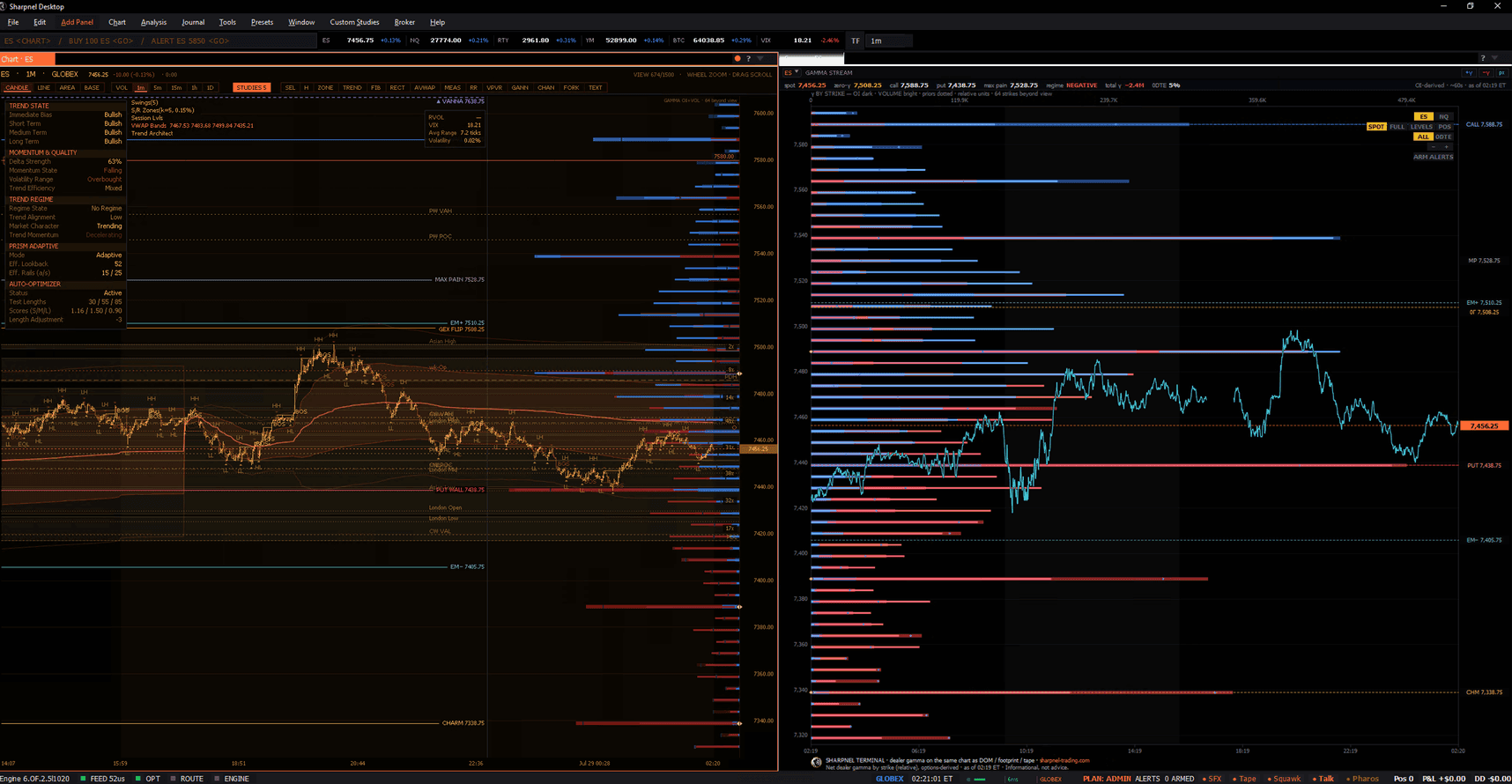
Sharpnel Desktop
The native Sharpnel terminal for Windows and macOS. Free to download — sign in with any Sharpnel account after installing. Explorer gives you a limited live view; Pro streams the real-time order-flow view — the live DOM, footprint, and tape on the major futures complex — the moment you sign in, with no broker connection required.
Windows 10 or 11, 64-bit · 1073 MB
SHA-256: 53499725ec44843c37e67be6b5270b70faf846a886c09e39e6aa027362eea524
macOS 12 or later, Apple Silicon · 1042 MB
SHA-256: 1cefeb1e0e54954f7a5425b6d784220dac893fd28d5dce44972fb8b3a5cf5a4e
What happens next
The installer is code-signed in my name, so you'll never see an “unknown publisher” warning. You may still see a blue SmartScreen box — that's a reputation counter, not a verdict, and there's a short note below on how to read it.
Right-click the file first, choose Properties, and tick Unblock if it's there — Windows marks anything downloaded from the internet. Then run it and pick a folder. There's no separate runtime to chase; the market engine is bundled into the app.
Open the terminal and sign in with your Sharpnel account. Explorer gives you a limited live view; Pro streams the real-time order-flow view straight away, with no broker connection required.
Neither of them means anything is wrong with the file, and I’d rather you hear both from me than meet them cold.
Windows marks every file that came from the internet. Right-click the installer you just downloaded, choose Properties, and if you see a Security line at the bottom, tick Unblock and press OK. If there is no such line, Windows has already cleared it and there is nothing to do.
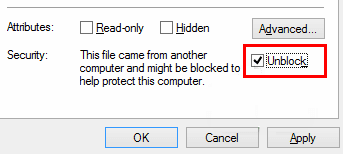
Worth doing even though the installer is signed: the mark stays attached to the file, and it can make the installer fail in ways that look like a bad download rather than a Windows setting.
You may see “Windows protected your PC” when you run the installer.
That box is not a malware finding. SmartScreen counts how many people have run a particular file; until a build has been downloaded enough times, it is “not commonly downloaded” and Windows says so. I ship a new build often and I am one developer, not a company pushing millions of installs, so my counter is always low. Click More info and it will name the publisher: Sharpnel Trading. That line is the part that cannot be faked — it comes from a certificate issued against verified business identity, and no one else can sign a file with my name on it. If it says anything else, you are not looking at my installer, and I want to know about it.
You do not have to take the dialog’s word or mine. Check the file yourself:
In PowerShell, compare the file hash against the SHA-256 above:
Sharpnel Trading
From the exchange floor to your ladder
Get-FileHash .\Sharpnel-Desktop-1.10.227-win64.exe -Algorithm SHA256
And to confirm the signature is mine and intact — this is the stronger check of the two, because it proves who signed the file rather than only that it matches this page:
Get-AuthenticodeSignature .\Sharpnel-Desktop-1.10.227-win64.exe |
  Select-Object Status, @{n="Signer";e={$_.SignerCertificate.Subject}}
Expect Valid and a signer of CN=Sharpnel Trading, O=Sharpnel Trading. Anything else — a different name, or a status that is not Valid — means do not run it, and please tell me.
Updates install in place — the terminal checks for new signed builds and updates itself from Help > Check for Updates.
The macOS build above is native and notarised — download it and it opens like any other Mac app, with no security prompt to click through. A Linux build is still in development, and I am not going to give you a date, because a date I miss is worse than no date. In the meantime the Windows build runs under Wine; at least one paying customer uses it that way.
That path is not an accident of luck. The voice capture picks an audio backend that works under Wine rather than the Windows default, and the speech-model install was moved off the interface thread specifically because the Windows extraction tool it would otherwise use does not exist there. When something breaks under Wine, I treat it as a real bug — I ran the Windows build on a Mac under CrossOver every day for months before the native one existed.
I will not pretend Wine is identical to running natively. If you try it and hit something, tell me what happened — Mac reports get read by the person who writes the code.

